Tue Jan 27 2026
0 Comments
KDP Book Categories: Where to Place Planners?
Navigating KDP Book Categories: Where to Place Planners?
Introduction: Understanding KDP Book Categories
Categories on KDP are essentially like sections in a bookstore or library. KDP’s category system helps organize books so readers can easily find them.
What about planners? Planners are designed to help people organize their schedules, set & track their goals, or manage tasks over the day, week, or month. Planners will fall into different categories depending on their purpose and who they’re intended for.
For instance, a daily planner might belong in the “Calendars & Planners” section under Office Products. Whereas a school planner would best fit under “Education & Teaching” in the Books category.
Choose the Correct Category
When you categorize your planner correctly, it will appear in searches made by readers who need it. If it’s misplaced, it will be harder for potential buyers to discover, and Amazon won’t understand your book category correctly for the best results for the algorithm. You can also choose up to three categories for your book.
Here are some practical tips for finding the right category for your planner:
- Research Similar Products: Look at other planners on Amazon. Where are they listed? Take note of popular categories for planners similar to yours.
- Understand Your Audience: Who is your planner for? A student? A professional? A general audience?
- Be Specific: If your planner has a unique theme or function, choose a category that reflects that. For example, a wellness or fitness planner would fit under Health & Fitness.
- Test and Adjust: After publishing, keep track of how well the planner is selling. If no one is buying it, consider revisiting your category choice.
To Help You Find The Correct Categories
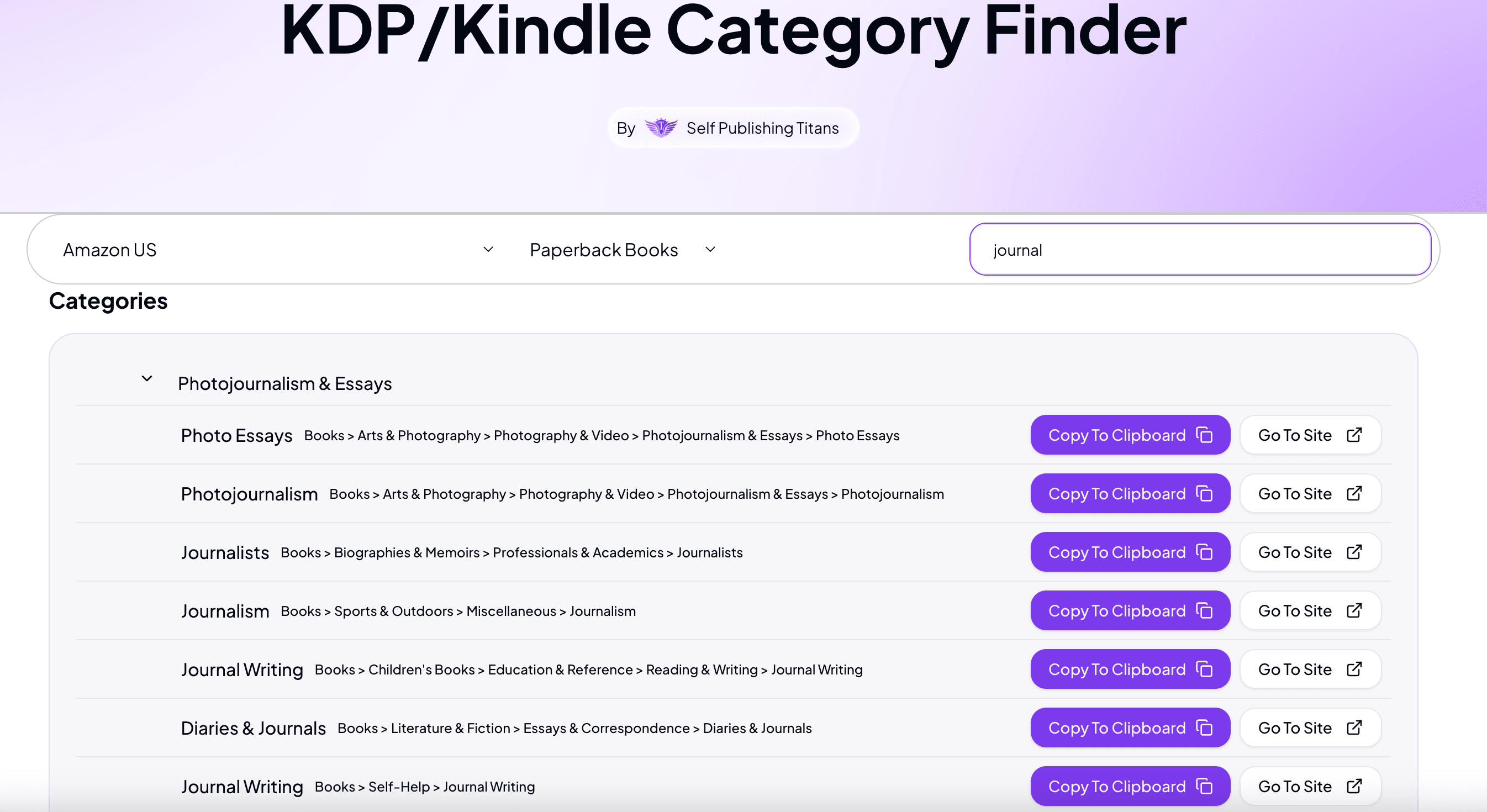
We have created a tool KDP Category-Finder, to help you find your book category path on Amazon. Just select the marketplace and type in what kind of book you want to find a category for, and it will show you the different options you can select on Amazon.